Creating an Empty Workflow in PandaDoc
Step 1: Accessing the Workflow Section
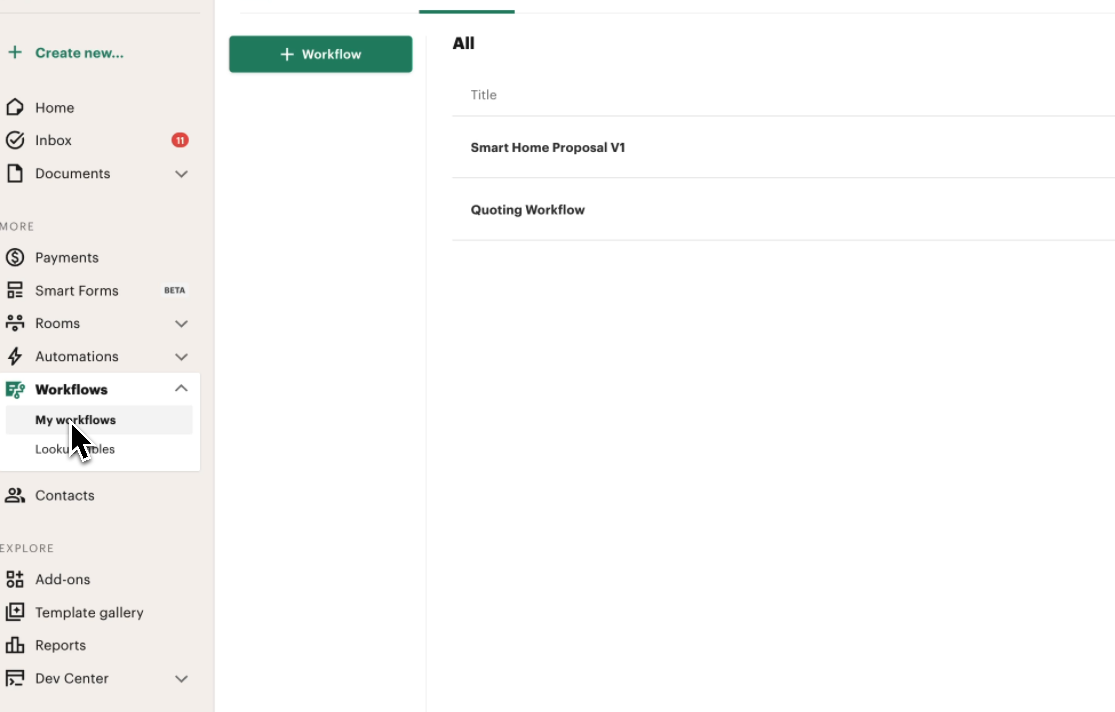
To create a new quoting workflow, navigate to the My Workflows section in the global navigation.
Step 2: Creating a New Workflow
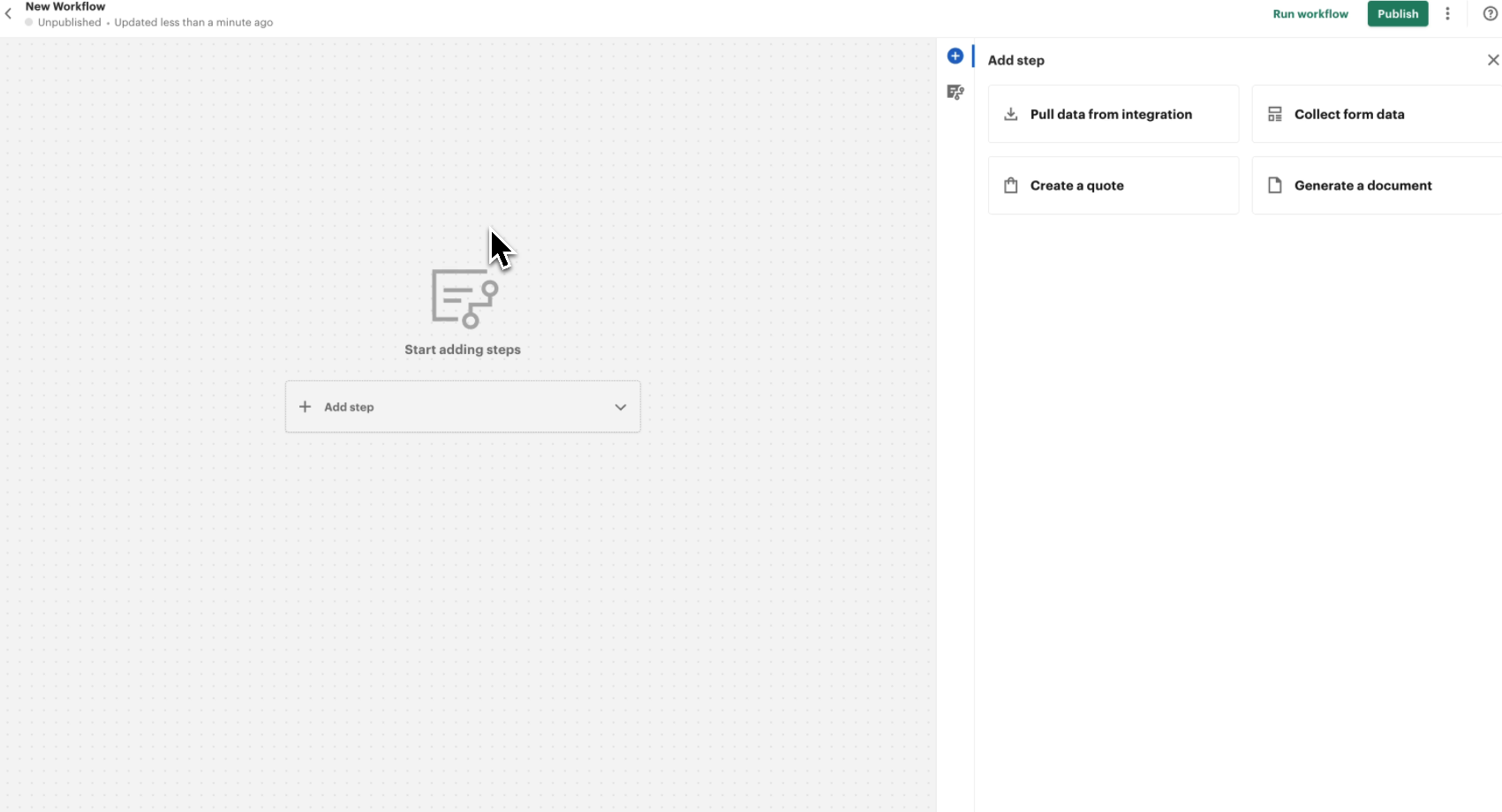
- Click on + Workflow.
- A new screen will open where no steps are defined yet.
Step 3: Understanding the Workflow Steps
The workflow consists of several steps that define the quoting process. In this tutorial, we will first create an empty workflow, and in subsequent parts, we will add steps to complete it.
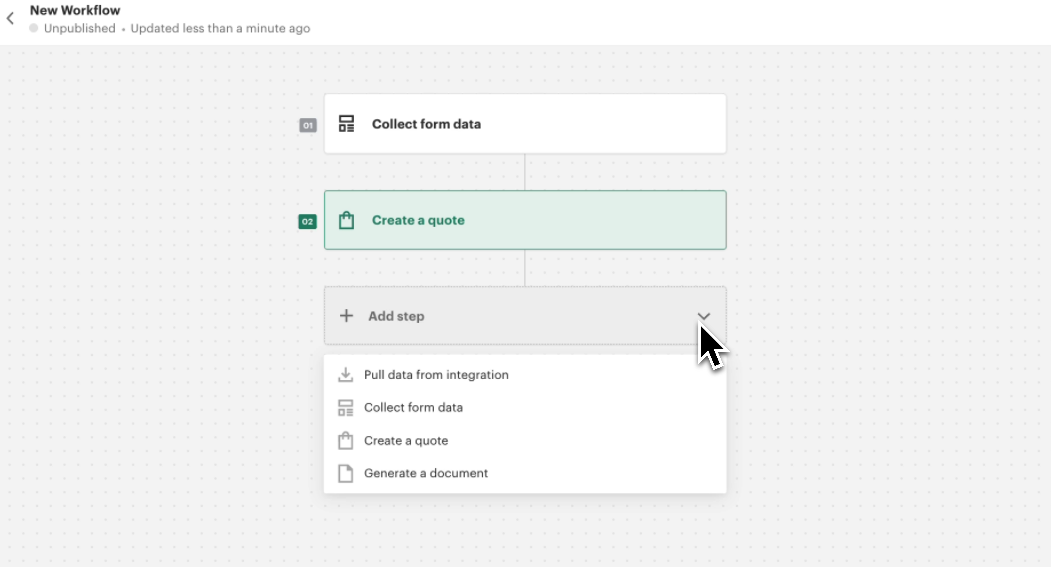
The main steps that will be included in the workflow are:
- Form Step – This step allows the user to define the quote configuration. It serves as the Guided Selling Configuration.
- Quote Step – The actual quote will be generated in this step.
- Document Generation Step – The final step where the document is generated based on the previously created template.
Step 4: Saving the Draft Workflow
For now, we will save the empty workflow as a draft. Additional steps will be added in the next tutorial.
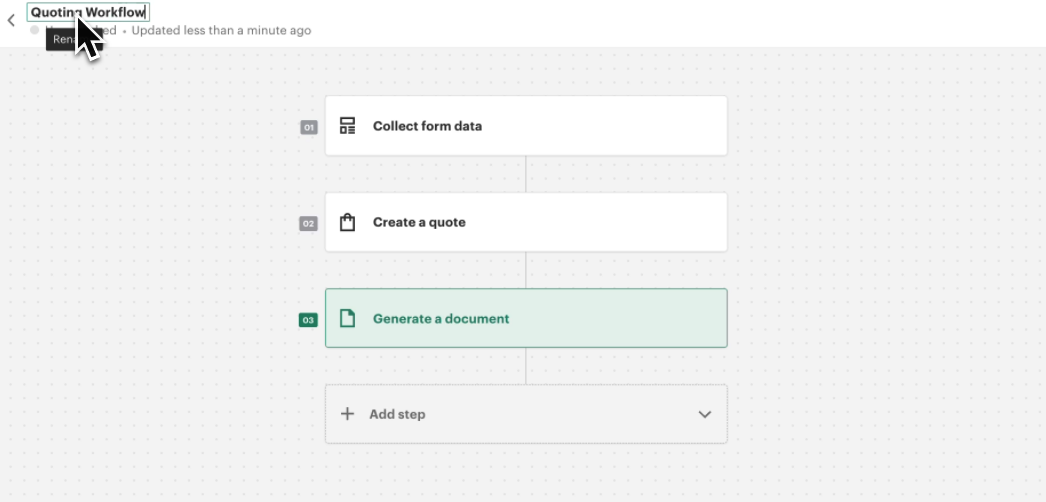
In the next tutorial, we will start adding steps to the workflow, beginning with the Guided Selling Configuration step.