Possible actions in THEN clause
This document serves as a comprehensive guide to understanding how rules interact with your quote and how to effectively use them to perform various actions. For a visual walkthrough, check out video below:
Overview of Rules and Their Actions
Rules in PandaDoc allow you to filter, manipulate, and manage sections, line items, and other components of a quote. Below is a detailed explanation of what you can achieve with rules:
Filtering
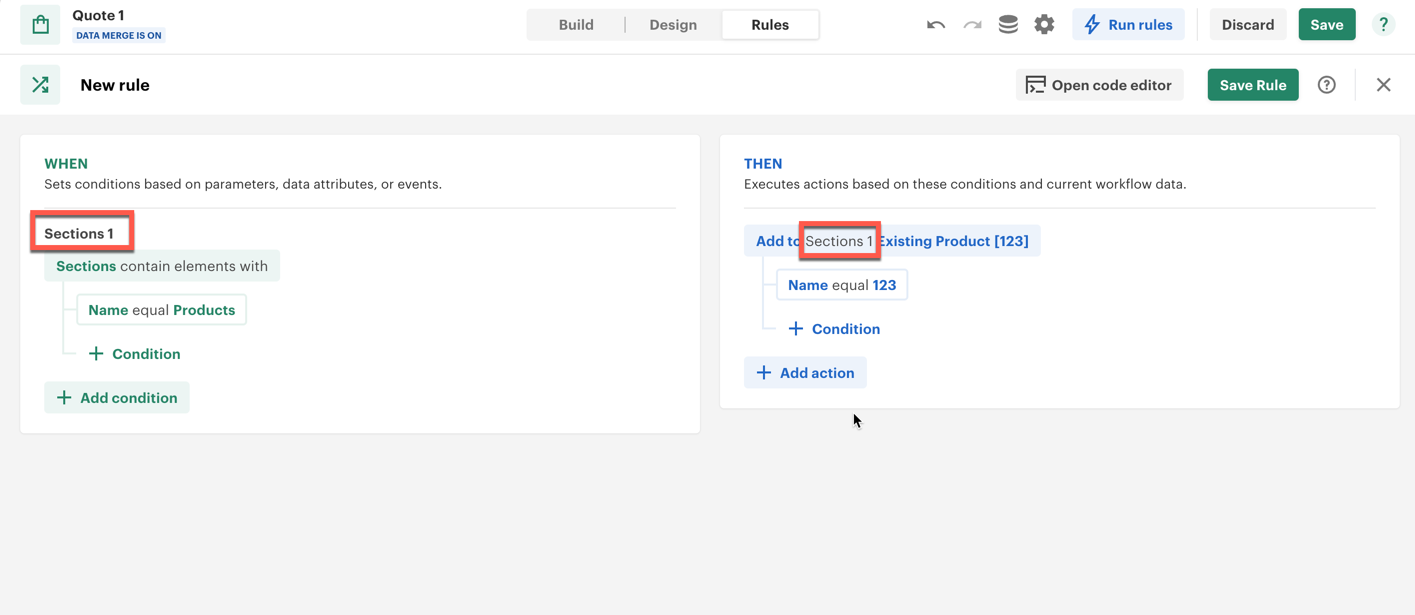
Sections
- Example: Filter sections by name, such as
Products. - Use Case: Isolate specific sections for further actions.
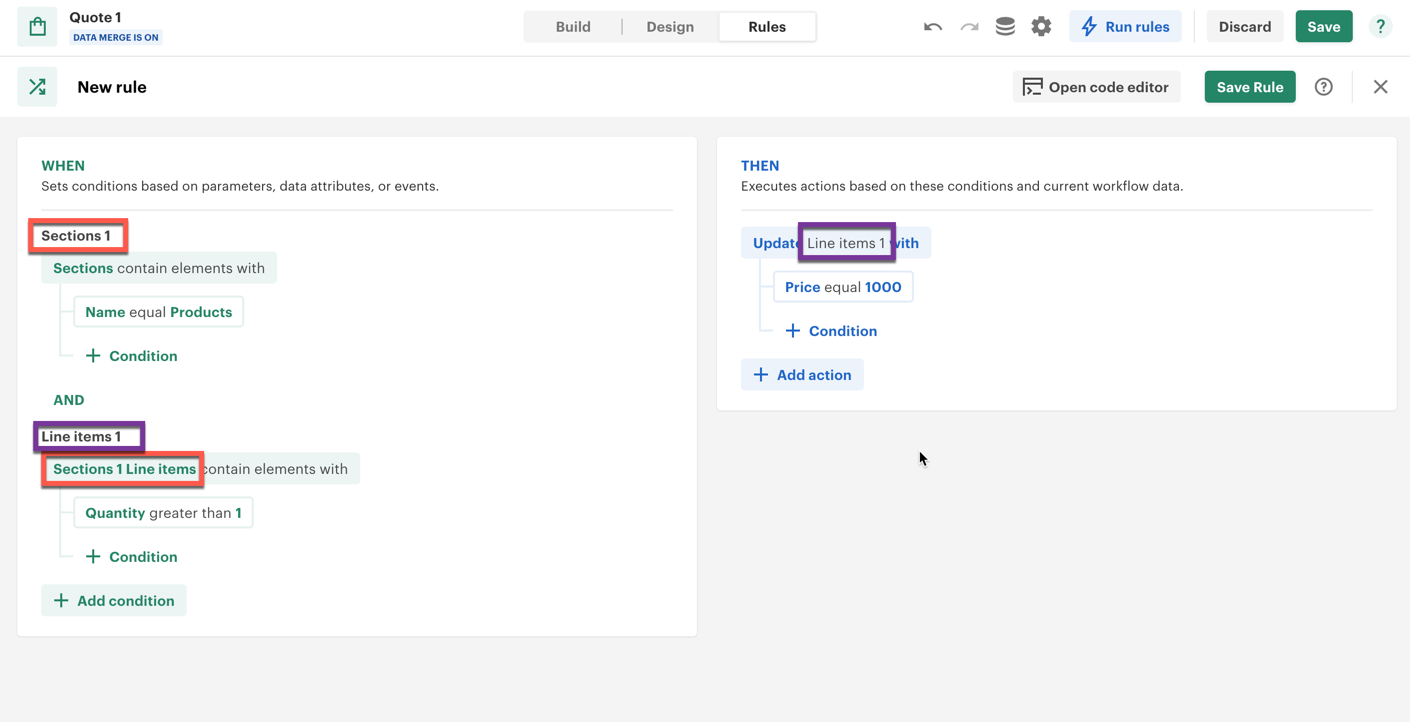
Line Items
- Example: Filter line items within a section where the price is greater than 100 or quantity is greater than 2.
- Use Case: Target specific items within a section for updates or actions.
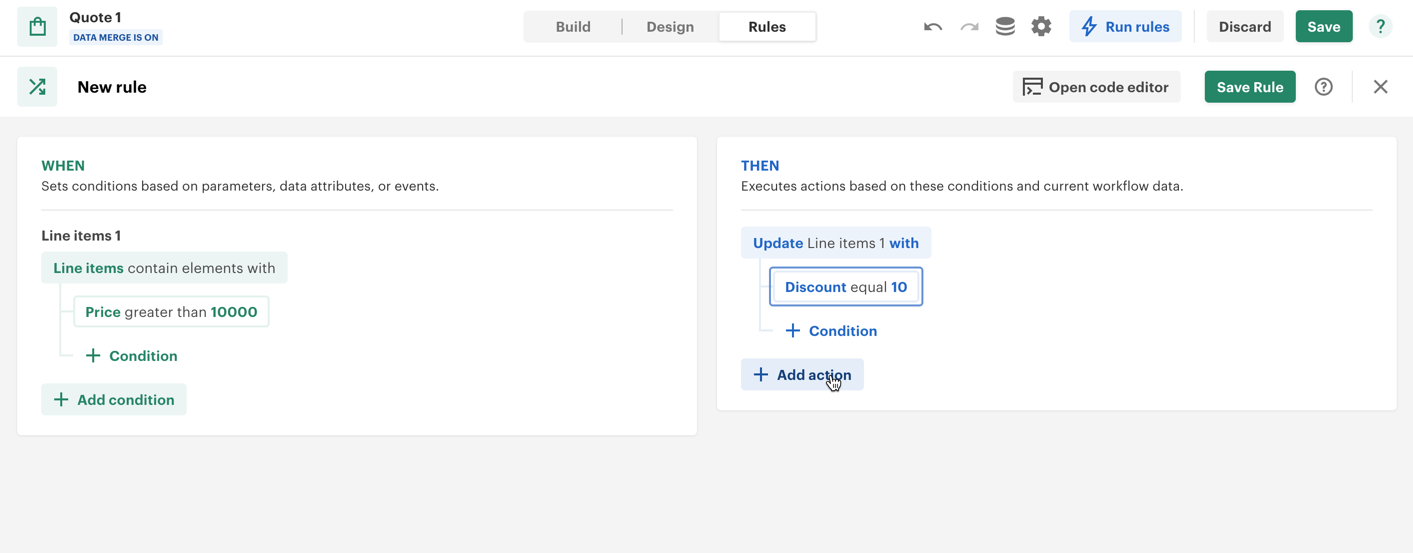
General Line Items
- Example: Select all line items and apply conditions like
price > 10000. - Use Case: Apply global actions across all line items.
Actions
Add
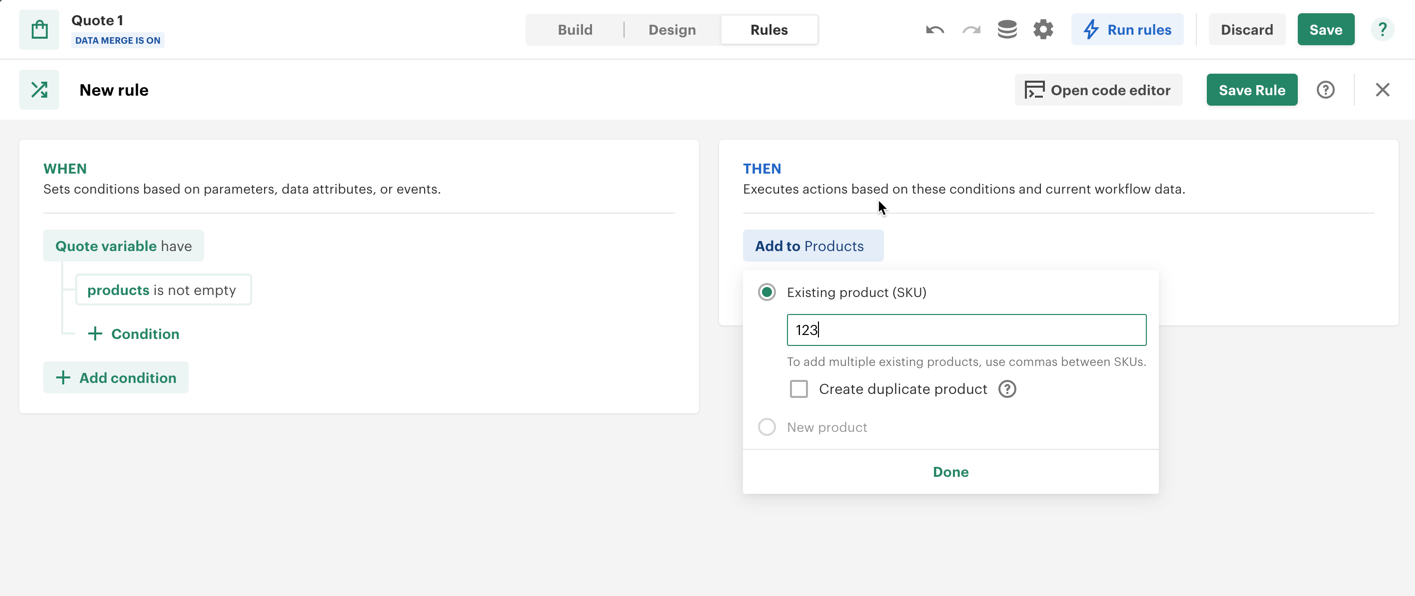
- Add items to a specific section or an alias created during filtering.
- Example: Add a product by its SKU (e.g.,
123) to a section. NOTE! product with such SKU should exist in your product catalog - Duplicate Prevention: Ensures the same product is not added multiple times.
Update
-
Update various components of the quote:
Sections:
- Modify section settings (e.g., recipient options).
- Update section totals (e.g., adding custom totals).
Grand Totals:
- Modify grand total fields like discounts and fees.
- Auto-calculated fields cannot be directly changed.
Quote Settings:
- Change settings such as currency or recipient options.
Quote Variables or Data Fields:
- Update pre-existing data fields with new values.
Line Items:
- Modify attributes like price, quantity, or custom fields for filtered line items.
Example: Change the price of line items in a
Productssection to 1000.
Delete
-
Remove sections or line items based on specific criteria.
Example:
- Delete a section by name or alias.
- Delete line items where
price > 100.
Available Commands
Add
- Target: Specific section, alias, or all sections.
- Options: Add items with attributes like SKU and price.
Update
- Scope:
- Section settings, footers, or totals.
- Grand totals (auto-calculated fields excluded).
- Quote settings and data fields.
- Filtered line items.
- Attributes:
- Modify attributes such as recipient options, section totals, and line item details.
Delete
- Scope:
- Entire sections by name or alias.
- Line items filtered by conditions (e.g.,
quantity > 2).
Practical Example
-
Filter:
- Select a section named
Products. - Filter its line items where
price > 100andquantity > 2.
- Select a section named
-
Add:
- Add a new product with SKU
123to theProductssection.
- Add a new product with SKU
-
Update:
- Change the price of filtered line items to 1000.
-
Delete:
- Remove all line items with
price > 100from a specific section.
- Remove all line items with
Key Considerations
- Filters must be applied before performing actions.
- Actions are executed only on the filtered elements (aliases) unless specified otherwise.
- Auto-calculated fields (e.g., total taxes) cannot be manually updated.
Conclusion
By understanding how rules interact with your quote, you can create tailored workflows, streamline processes, and ensure precise modifications. Experiment with the commands to fully leverage the capabilities of PandaDoc rules. For further assistance, revisit the video guide.