Referencing Quote totals and Data fields (Quote variables)
Introduction
Almost every time, you may encounter a situation where you need to introduce custom calculations in your quote. This requires referencing various values within the quote, such as:
- Section values
- Line item values
- Grand total
- Data fields
- Quote variables
This document explains how to reference these values and perform custom calculations step-by-step.
How to Use References in the Rule Builder
When you want to perform a custom calculation, assign data, or apply mathematical operations to data in a quote, you will need to use references. Simply open a text box and type the = sign. Our UI will then display all possible references and formulas that you can use. This feature ensures that you can easily find and use the correct fields or calculations for your requirements.
1. Referencing Quote Variables
Example: Updating a Quote Variable with Grand Total
Let's say you want to update a quote variable named product with the value of the grand total.
-
Identify the field to reference within the grand total.
Example:
Grand total -> Total -
Assign the value of the grand total to the
productvariable.product = Grand total.Total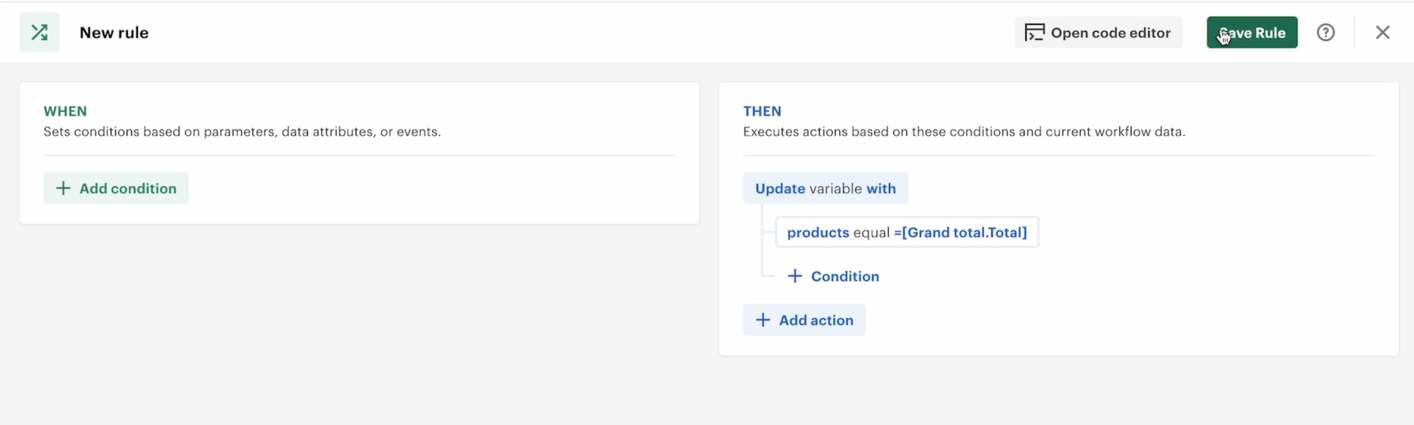
-
Save the changes and verify the result.
Use Case:
- You may need to pass the
productvariable to your document and use it as a dynamic variable within the document.
Verifying Example
- Initial Total:
$200 - Updated Total:
$2,440
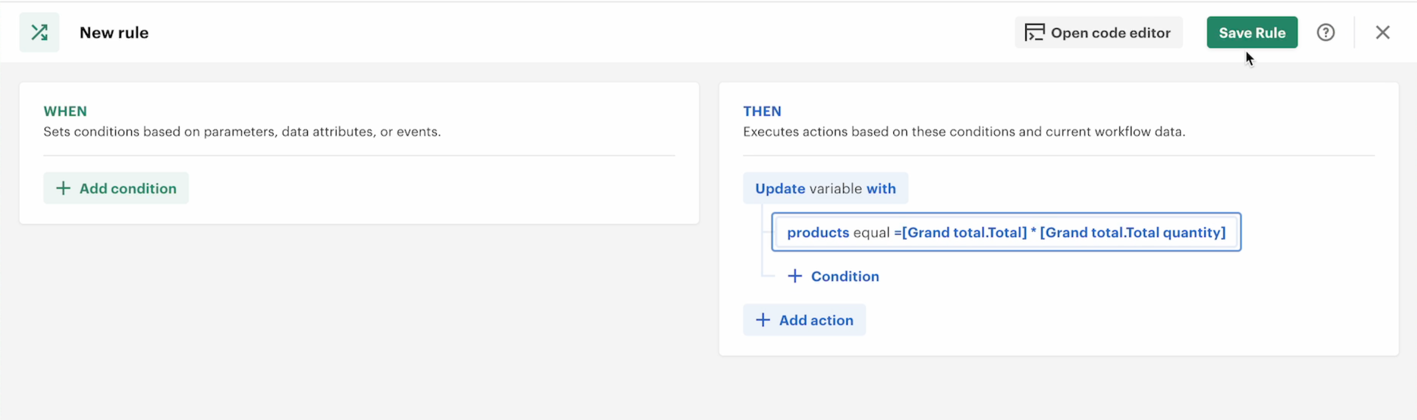
You can apply calculations to this value. For instance, multiply the total by the total quantity:
product = [Grand total.Total] * [Grand total.Quantity]
Result:
- Total Quantity:
20 - Total:
$2,440 - Calculation result
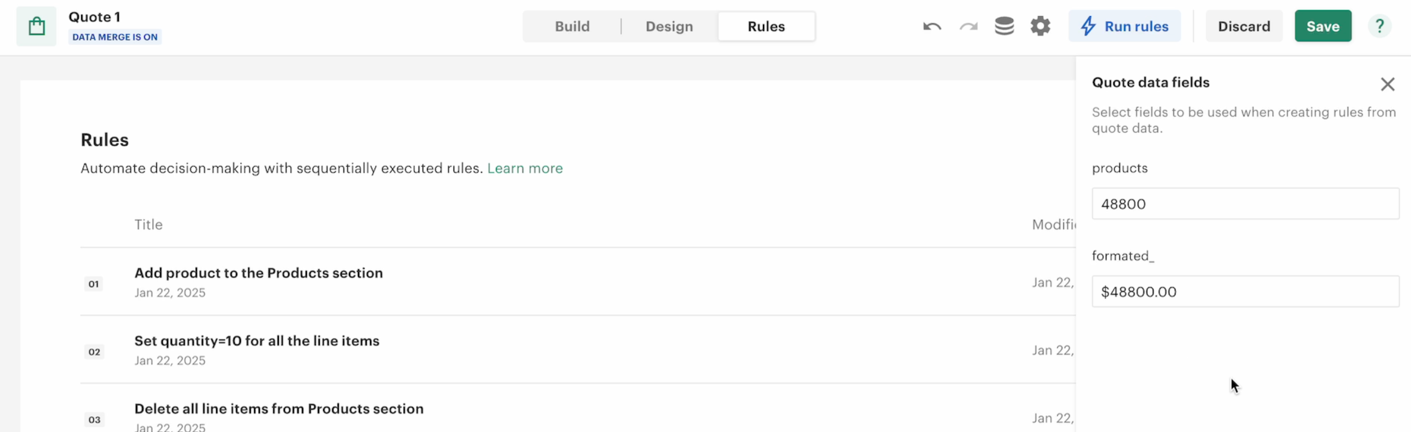
48800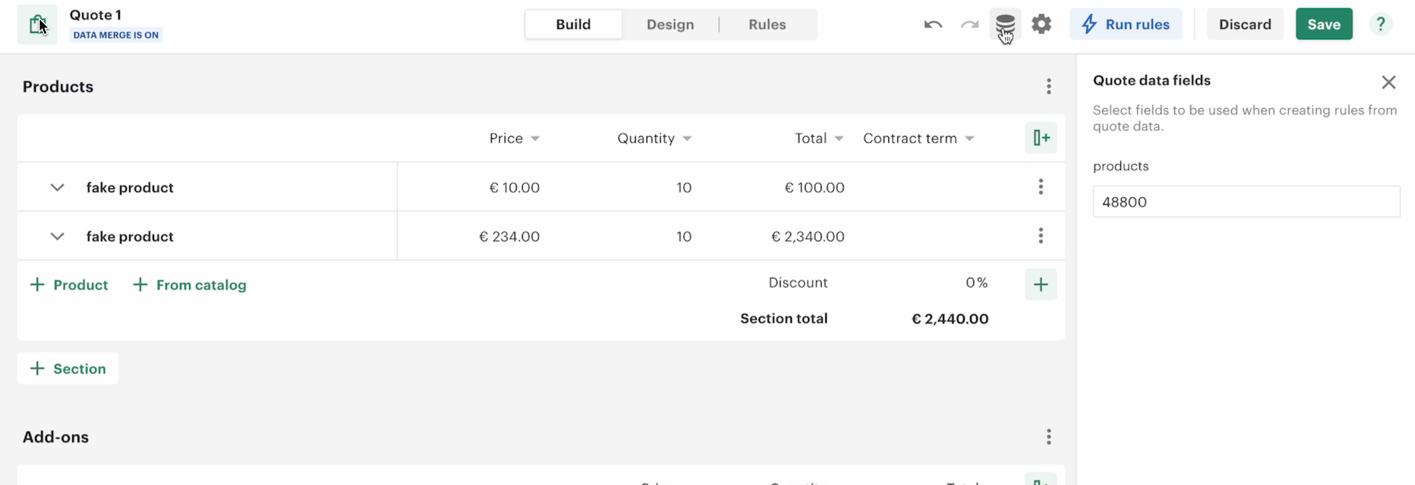
2. Using Data Fields and Variables
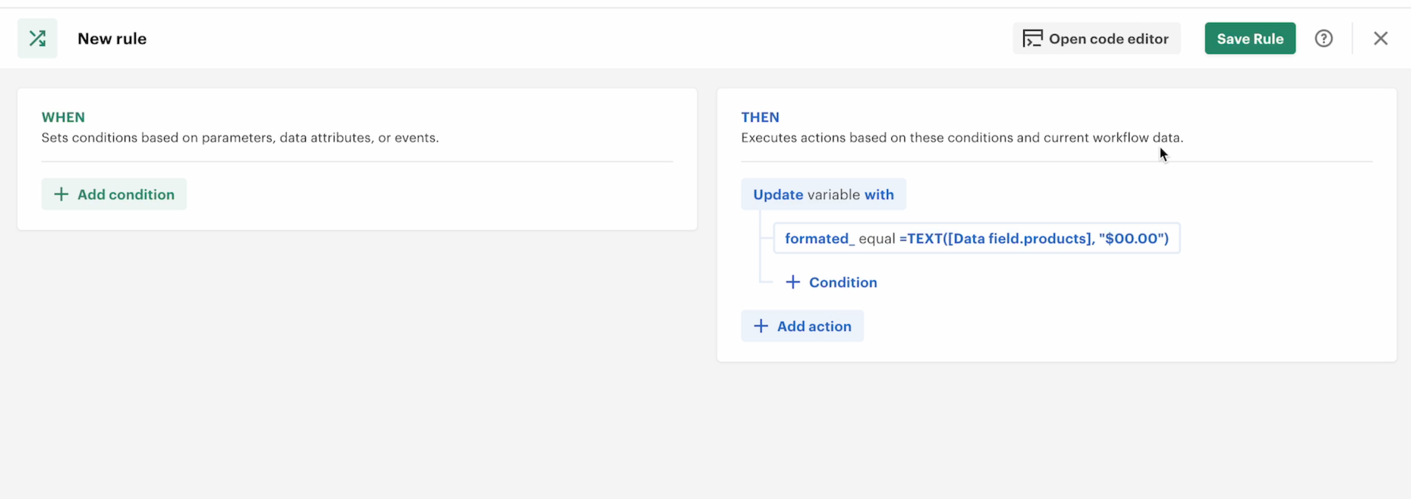
Example: Creating and Formatting a New Data Field
-
Create a New Data Field:
formatted -
Update the
formattedField: Use a text function to apply formatting to a referenced data field.Example:
formatted = TEXT([Data field.product], "$#,##0.00")- First Argument: Reference to the
productfield. - Second Argument: Desired format (e.g., dollar format).
- First Argument: Reference to the
Result
The product field value is formatted as a dollar value, making it easier to present in documents.
3. Summary of Operations
- References:
- Use references like
[Grand total.Total]or[Data field.{data field name}]to fetch values.
- Use references like
- Calculations:
- Apply mathematical operations (e.g., multiplication, addition) directly.
- Formatting:
- Use functions like
TEXTto apply formatting to numeric values.
- Use functions like
This approach allows you to customize your quotes and dynamically update values, enhancing usability and efficiency.